Ambleforge

Plan · Track · Discover

Plan it once.
Take it everywhere.

The trip planner made for everyone that works with zero signal. Days, stops, lodging, costs, and notes — planned together, beautiful to read, and always in your pocket, even where the map apps give up.

Be first in line when Ambleforge opens.

Already invited? Open the app (beta) →

See it in action

Real screenshots from the app — a genuine week in canyon country, planned, shared, and half-travelled. Tap a chapter to open it; click any picture to see it full size.

Plan it

From an empty screen to a full itinerary, with the app doing the busywork.

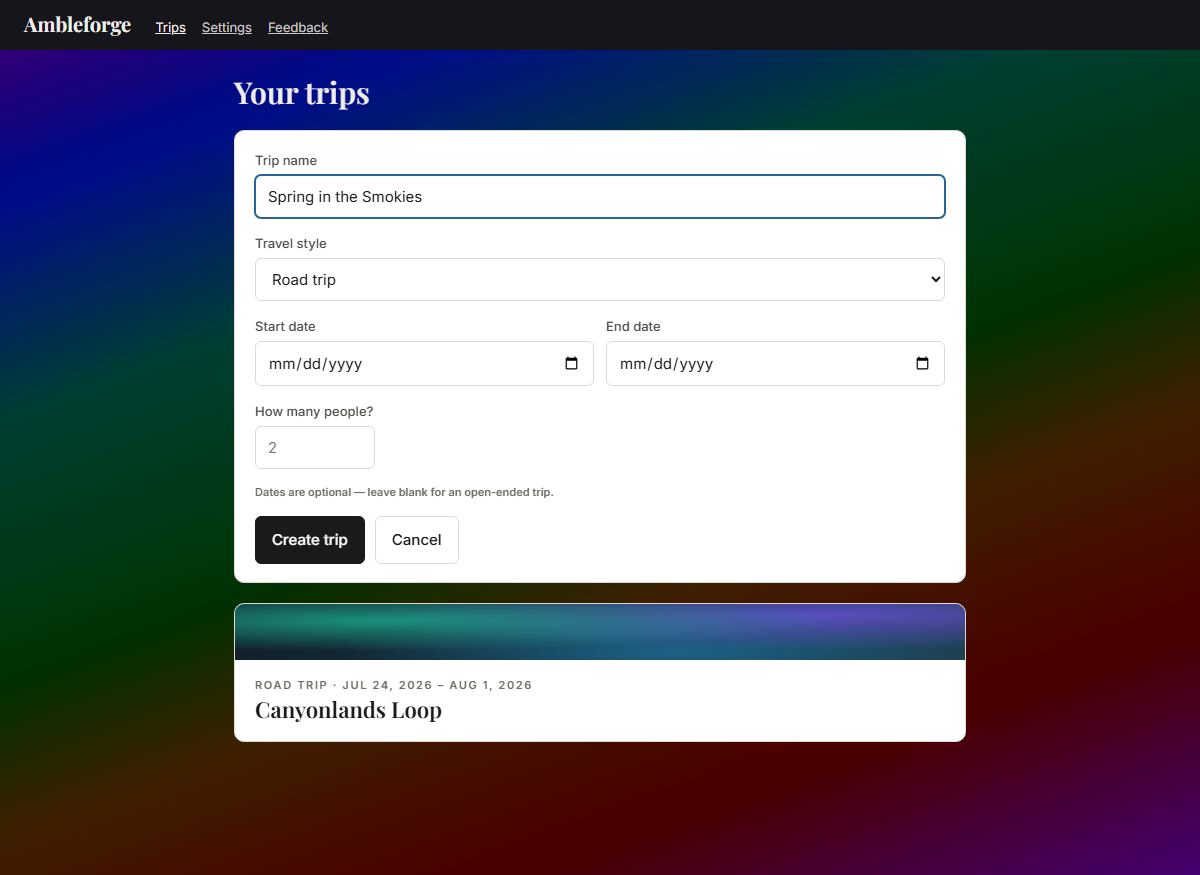
Plan · 01 · Start a trip The new-trip form: a name is the only required field; style, dates, and party size are optional
A name is all it takes. Travel style, dates, and how many of you are going are right there if you want them — the whole-trip cost divides itself per person from that number.
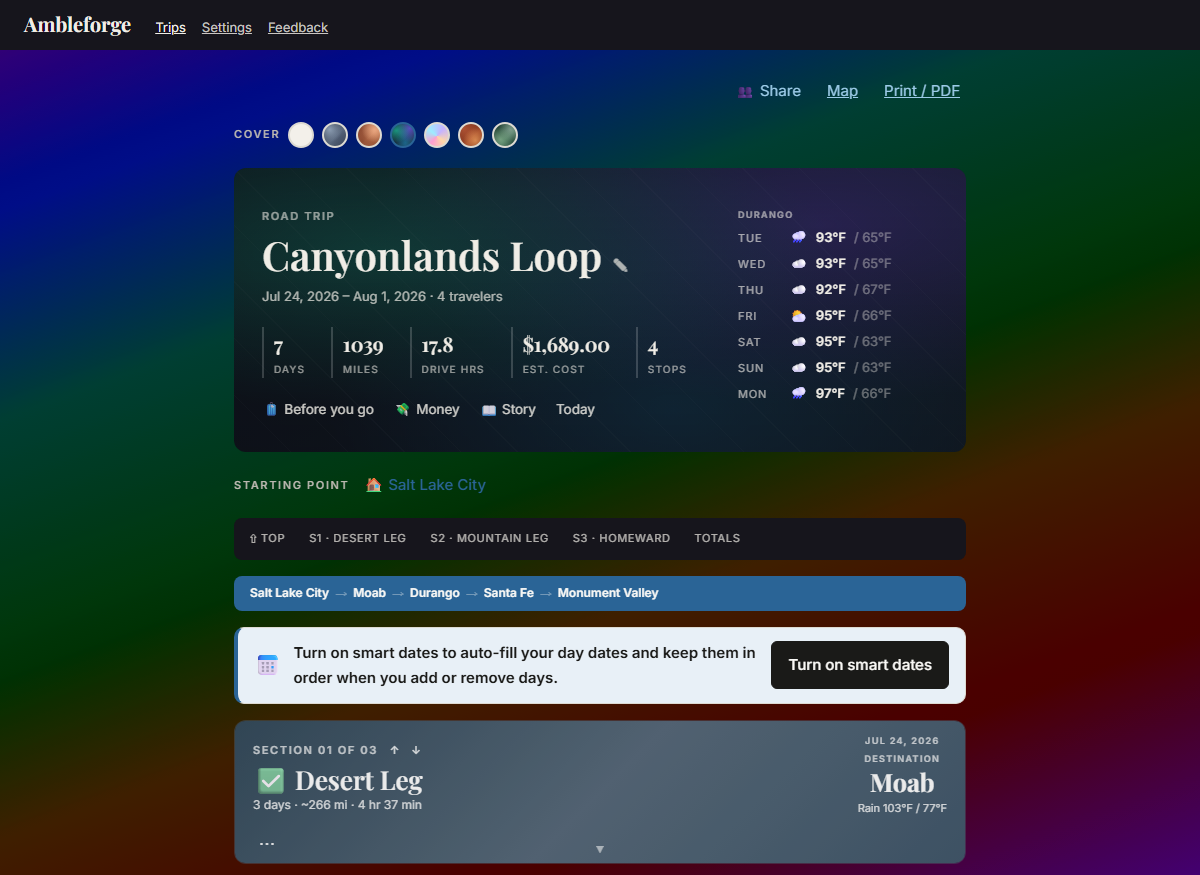
Plan · 02 · The trip at a glance Trip overview: hero with stats and a 7-day forecast, starting point, route bar, and colored section headers
Days, miles, drive hours, and cost roll up live. The 7-day forecast follows your itinerary — before the trip it watches your first stop; once you're rolling it shows the weather where the plan says you are today.
Plan · 03 · One form builds the day A section with the where-you're-staying slip inside the day card: date, hotel, drive readout, weather
Set where you're staying — date, hotel, address (with type-ahead), nightly rate — and day one assembles itself: the city, its weather, and the drive from your last stop, fetched automatically the moment you save. Even the currency matches the country the address is in.
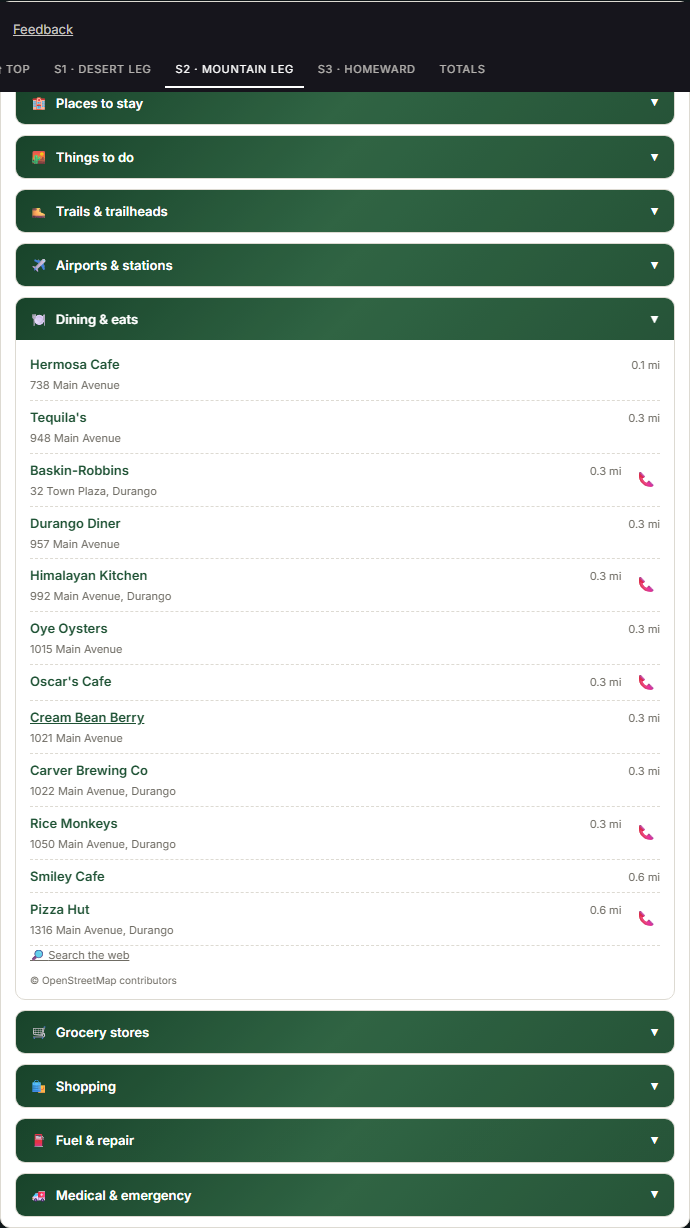
Plan · 04 · Browse what's nearby The local-options drawer near Pahrump: nine categories including Fuel and repair and Medical and emergency, each option showing its address and a tap-to-call number, distances measured from the hotel
One drawer per stop, nine categories deep: places to stay, things to do, trails & trailheads (hiking, biking, horseback, motorized), airports & stations, dining, groceries, shopping — and, for the road itself, Fuel & repair and Medical & emergency. Every distance is measured from your hotel's door, not the town center; where the map has it, each place carries its address and a one-tap phone number.
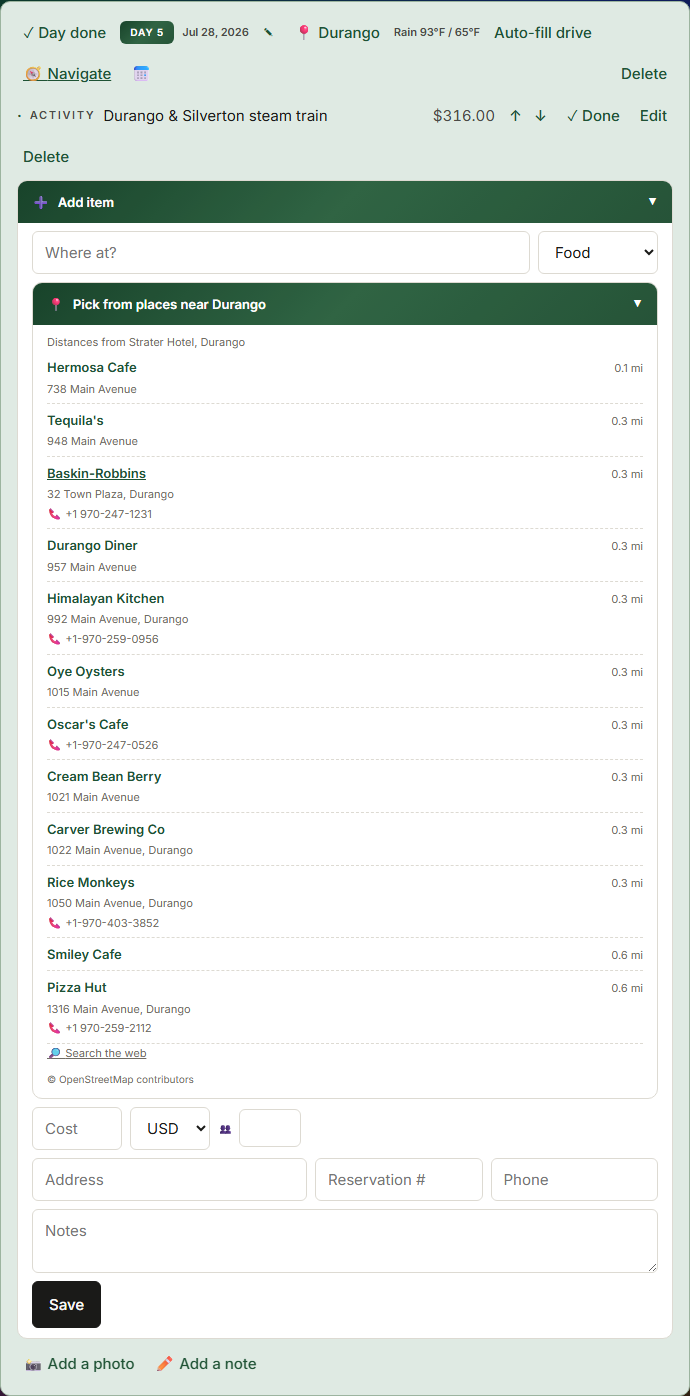
Plan · 05 · Add stops with one tap The add-item drawer with Food selected: the nearby dining list open with distances from the hotel
The add form lives in a tidy drawer that opens when you need it. Choose Food and the dining list opens with it — one tap fills the name and address. A people count on any item handles the days the group splits up.

Travel it

On the road, with or without signal — the plan keeps up with you.

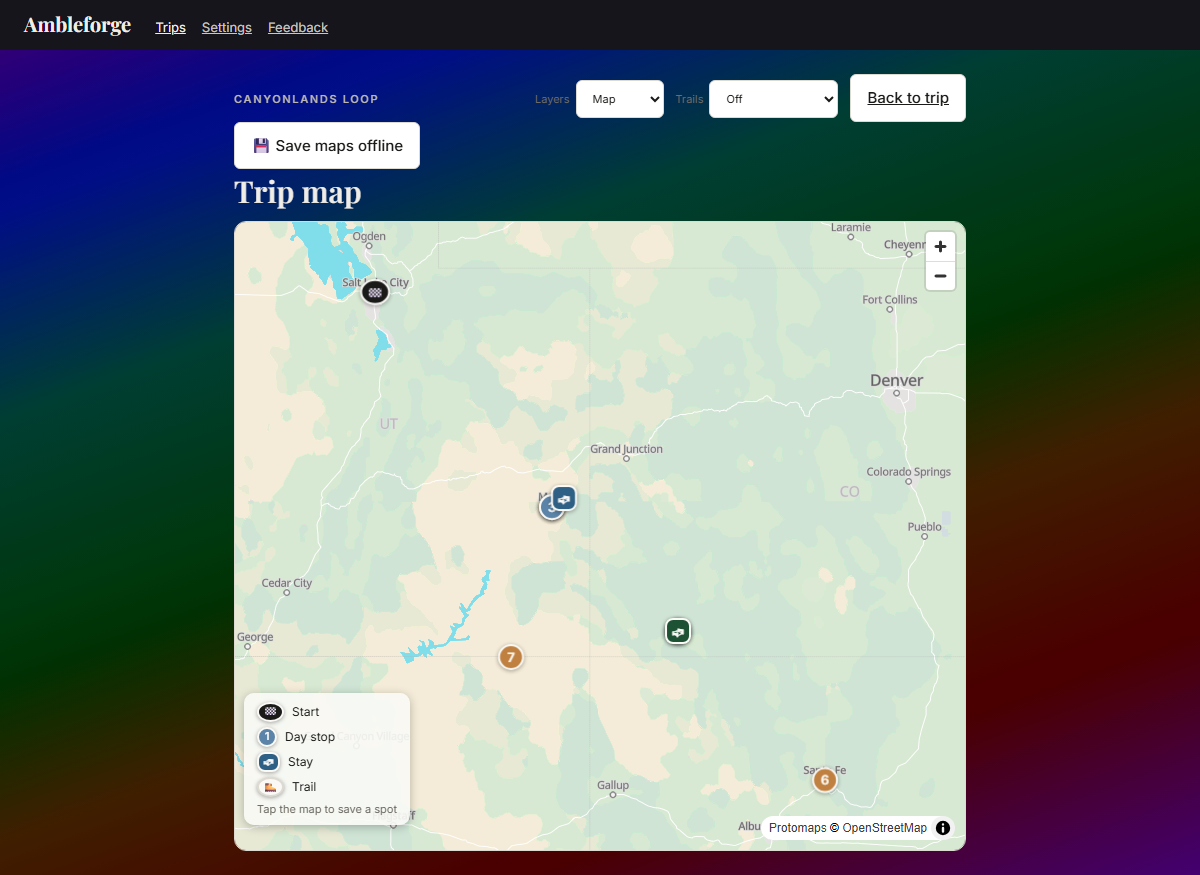
Travel · 01 · See the whole journey The trip map: numbered day pins in section colors, stays, the route chain, layers and trail-mode controls
Every stop pinned in its section's color with the route drawn between them. Switch layers — street, topo, satellite — paint trail networks by travel mode, and tap anywhere to save a spot straight into your ideas. And with one tap, save the trip's maps for offline — free: the whole region in overview plus street-level detail along your route and around every stop, rendering in airplane mode like everything else. Street tiles come from our own map server — no tracking, no per-view fees, no caching restrictions.
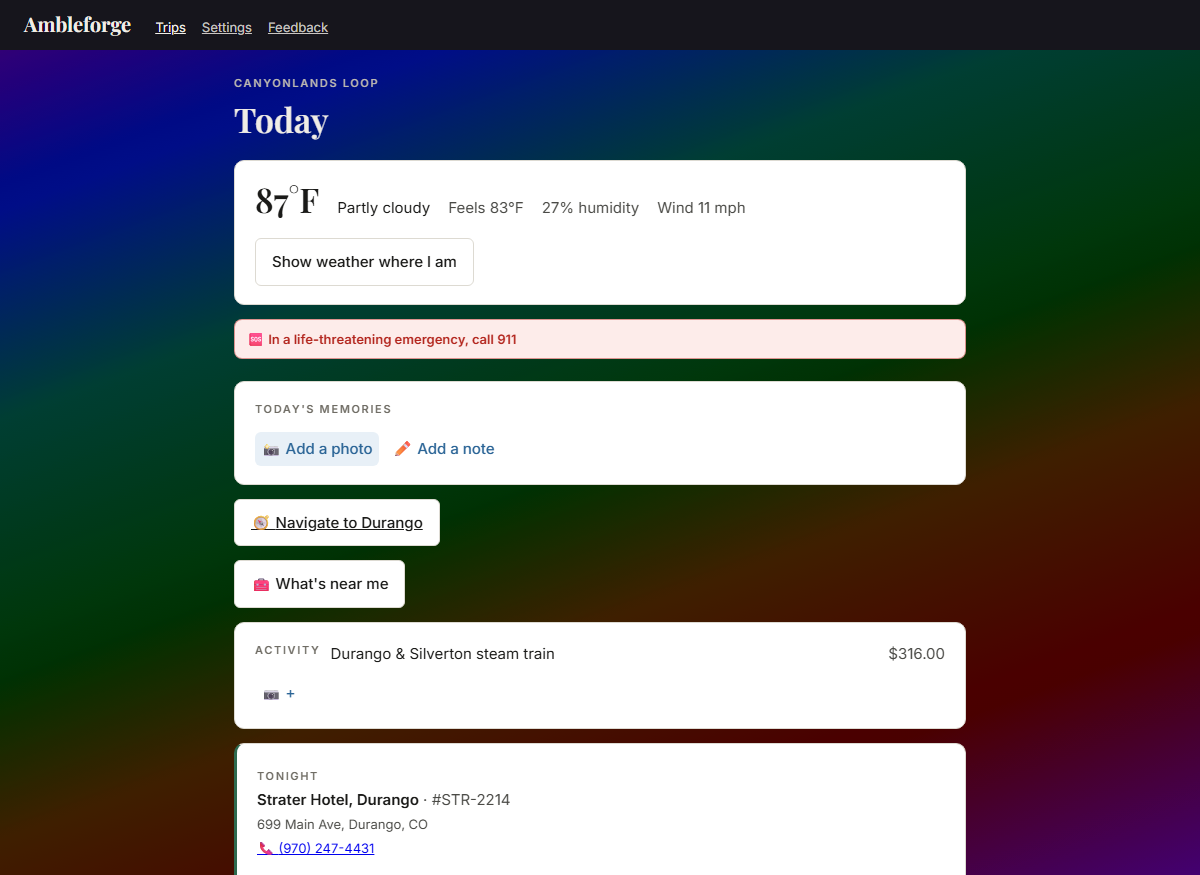
Travel · 02 · Today mode Today mode: current weather, today's plan, tonight's lodging, one-tap navigation
Built for the passenger seat: right-now weather, today's plan, tonight's stay, one tap to navigate — all readable in glare, one-handed, with zero signal.
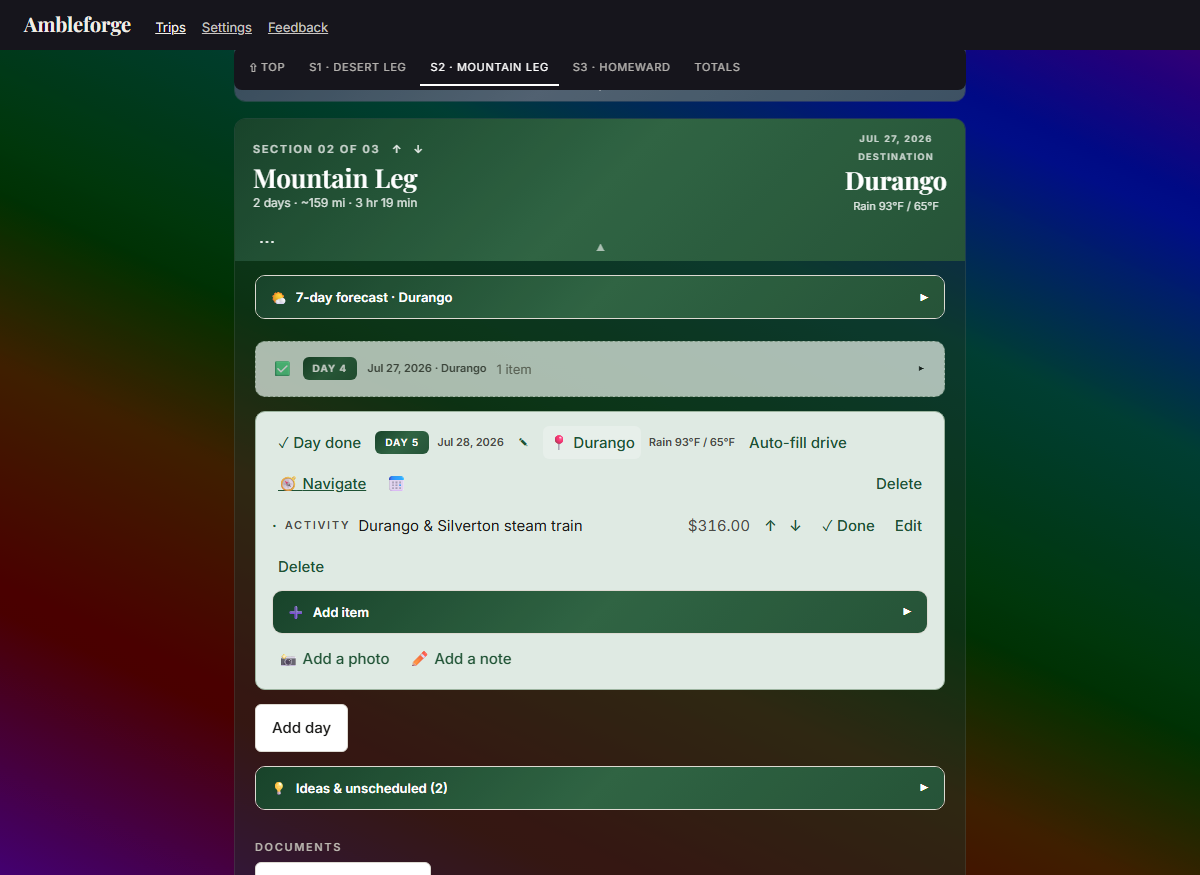
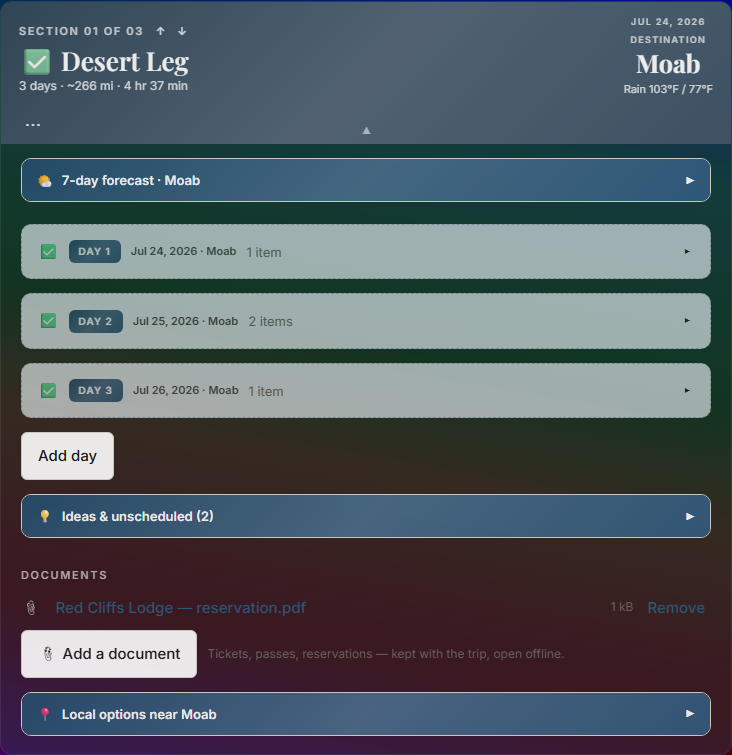
Travel · 03 · Done as you go A completed section: check-marked header, past days collapsed into dimmed summary rows
As dates pass, days fold themselves into tidy checked summaries and finished legs wear a ✓ — automatically, computed from the calendar, so it works offline and flips at midnight. Tap anything to reopen it; mark items or whole days done by hand whenever you like.
Travel · 04 · Pocket the paperwork A section's Documents area holding a reservation PDF that opens offline
Tickets, passes, reservations — saved into the trip itself, per section so nothing gets mixed up, and they open with zero signal in the middle of nowhere.
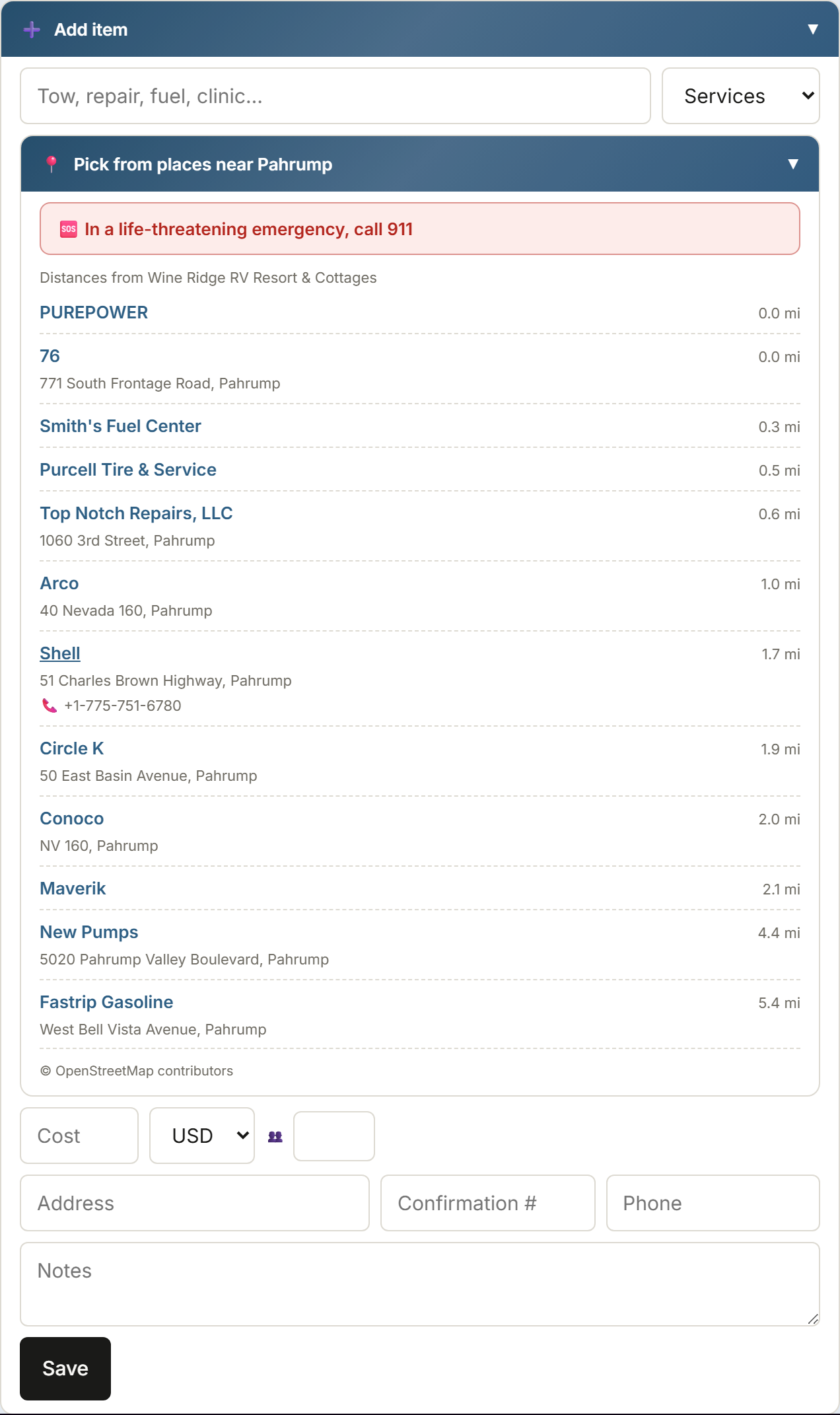
Travel · 05 · When the car — or someone — needs help Adding a Services stop: the nearby list shows fuel and repair options around Pahrump with addresses and tap-to-call numbers, topped by a red emergency notice naming the local emergency number
Add a Services stop and the nearby list turns to fuel, tires, and repair around you — with addresses and one-tap numbers to call ahead. A separate Medical & emergency list covers clinics, pharmacies, police, and fire. And because we're honest about what this app is, a plain notice sits on top with the emergency number that works where you are — 911 here, 112 in Europe, the right one in 233 countries — Ambleforge helps you find help, it isn't the help.

Do it together

Trips are a team sport. The whole family plans, packs, and edits the same trip — live.

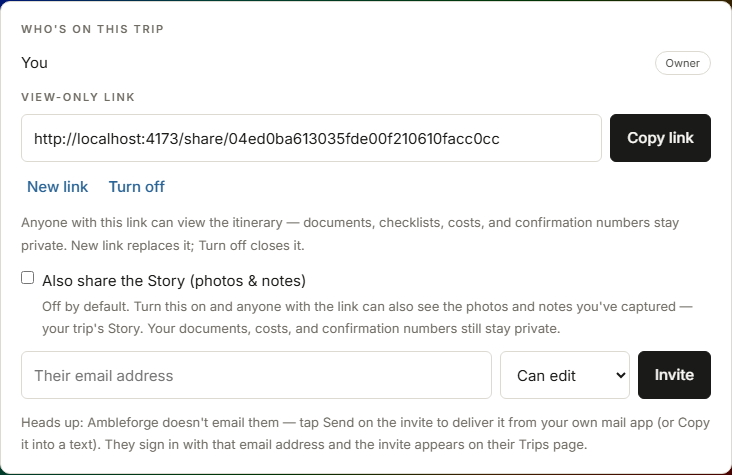
Together · 01 · Share the trip The share panel: members with roles and an email invite form
Invite anyone by email as an editor or viewer. They accept from their own Trips page and the same trip appears on their phone — edits sync live in both directions, and permissions are enforced at the database, not just the buttons.
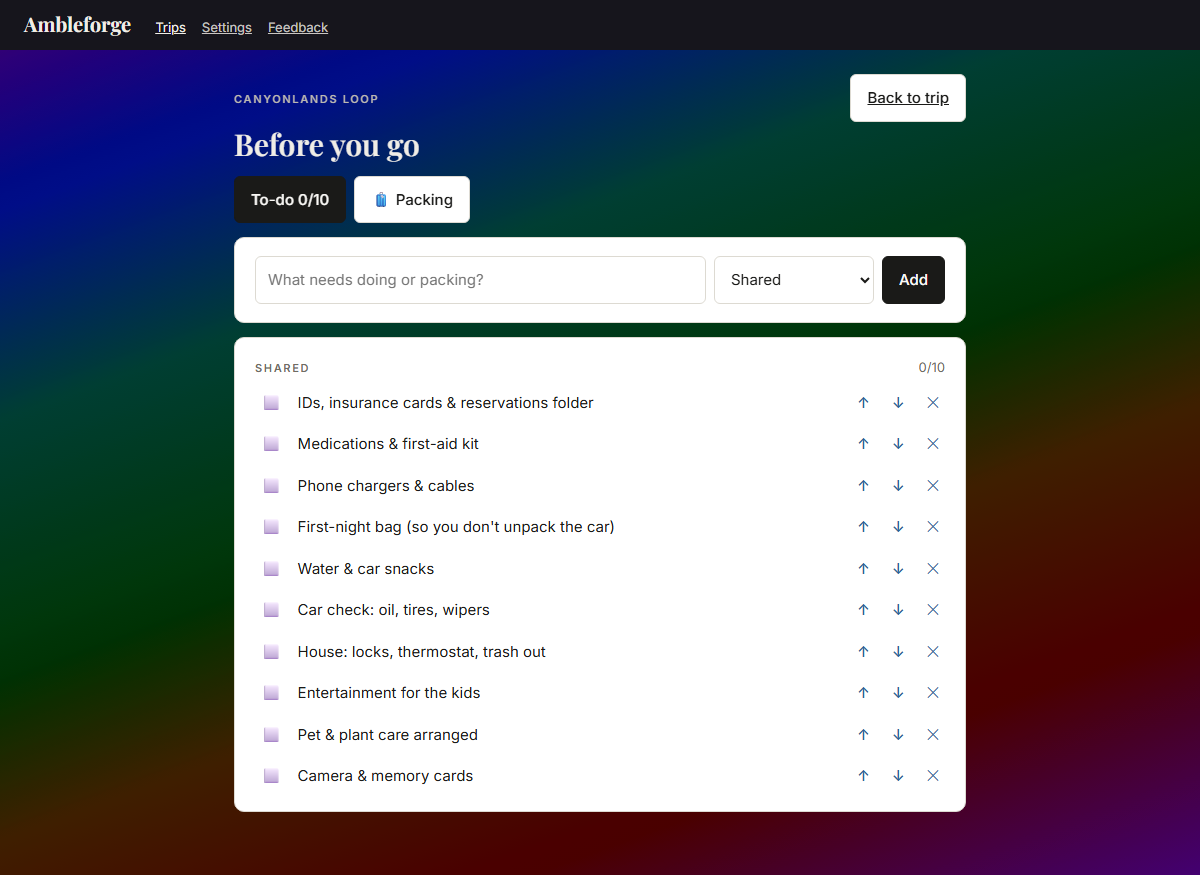
Together · 02 · Before you go The Before-you-go checklist grouped by person with progress counts
Pre-trip planning built for a family: every task or packing item belongs to Shared or to a person — with per-person progress, so whoever's herding the crew sees who's ready at a glance. A starter list seeds the obvious; make it yours from there.

Everything a trip needs

High-tech under the hood, simple in your hand — and nothing held hostage behind a paywall. Four groups; tap one to open it.

Plan it fast

The busywork does itself — you just make the decisions.

Day-by-day builder

Sections, days, stays, activities, notes — arranged in the order you'll live them.

Dates that flow

Set a start date and the days fall into line — add a night and everything after it shifts a day, automatically. Booked a flight or a non-refundable hotel? Pin it, and the plan flows around that fixed point instead of dragging it. Reorder days in a tap-safe mode and watch the dates re-flow live. And if a booked stay falls out of step with the plan, the app says so until you've updated the reservation.

Reservation slips

Lodging cards with confirmation numbers, addresses, and one-tap directions. Paste a confirmation email and the form fills itself in — name, phone, address, confirmation number, nights — right on your device, filling only the blanks.

Drives, done for you

Times and miles fill in between stops; navigation hands off to the maps app you already use. Not driving a leg? Mark it fly, train, bus, ferry — the trip default is yours to set, and any day can differ.

What's nearby

Nine categories around every stop — stays, things to do, trails, transit, dining, groceries, shopping, plus fuel & repair and medical & emergency. Distances measure from where you're staying, addresses and tap-to-call numbers ride along where the map has them, and one tap drops a find straight into your plan. And when open map data runs thin, a one-tap web search picks up the slack.

Weather where you're going

A 7-day outlook on every destination, current conditions where you stand — and for trip days months out, what it's typically like, from ten years of records.

Ready for anywhere

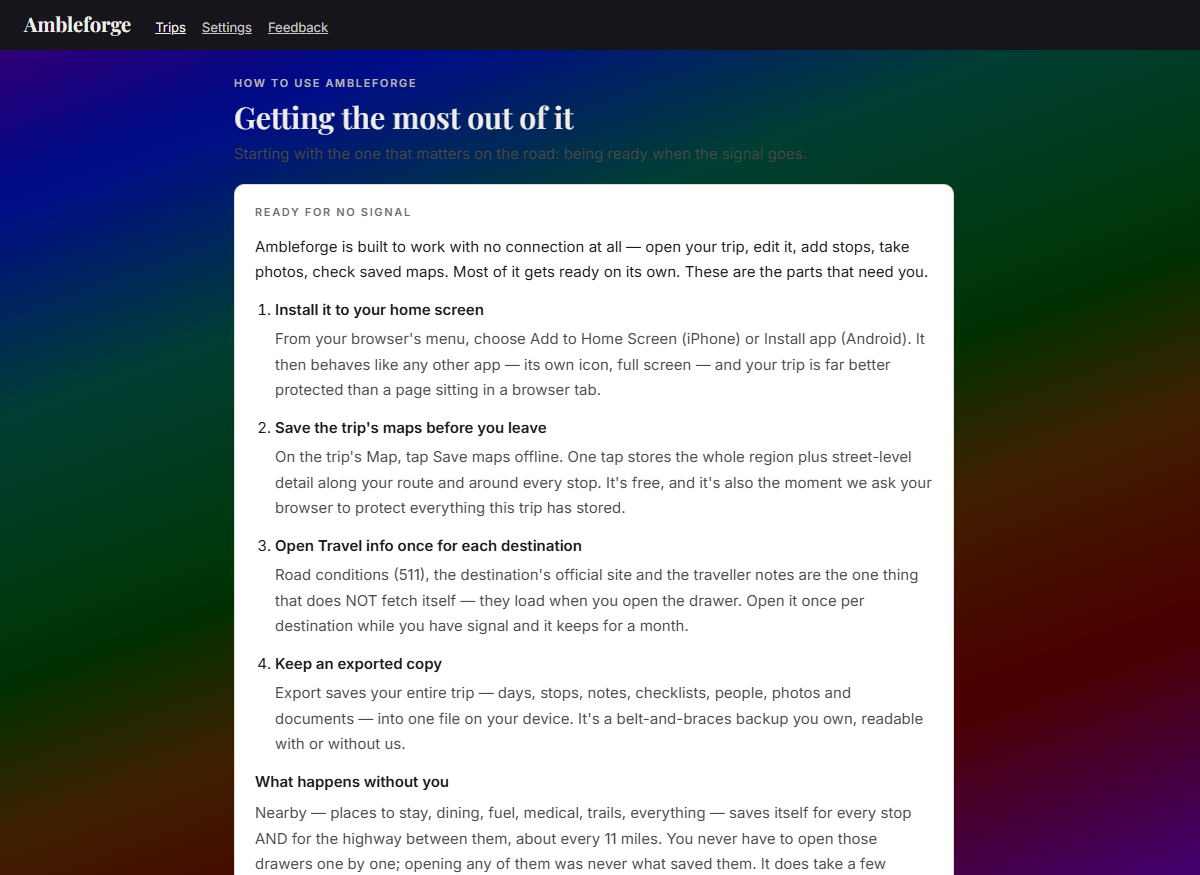
Off-grid is the design target, not an afterthought.

Works with zero signal

The whole plan lives on your phone. Edit it in a canyon; it syncs when you're back.

The whole journey, mapped

Street, topo, and satellite layers; trail networks by travel mode — hiking to horseback to off-road; every stop and stay pinned along your route.

Roadside & ready

When the car needs fuel, a tire, or a mechanic — or someone needs a clinic or pharmacy — the nearby list has a lane for it, with one-tap numbers to call ahead. It's saved to your phone along your entire route — every stop, and the highway between them, every ~11 miles — so "What's near me" in Today mode finds the nearest gas station from your live GPS position even at mile 150 with zero signal. Honest by design: a plain emergency notice rides along with the number that actually works where you are — 911 in North America, 112 across Europe, the right one in 233 countries, saved offline like everything else — because this helps you find help; it isn't an emergency service.

Done as you go

Past days check themselves off and fold away automatically — computed from the calendar, so it works offline. Finished legs wear their ✓; anything reopens with a tap.

Memories, as they happen

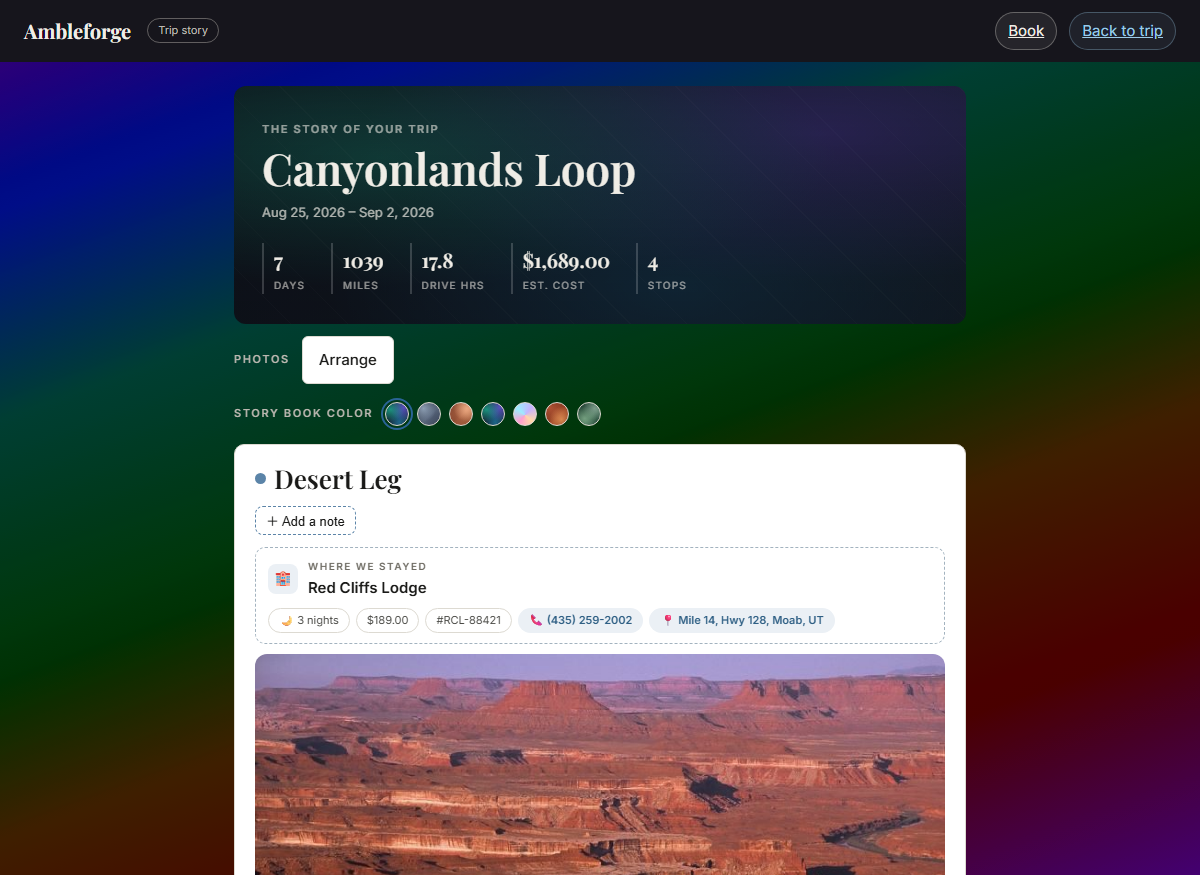
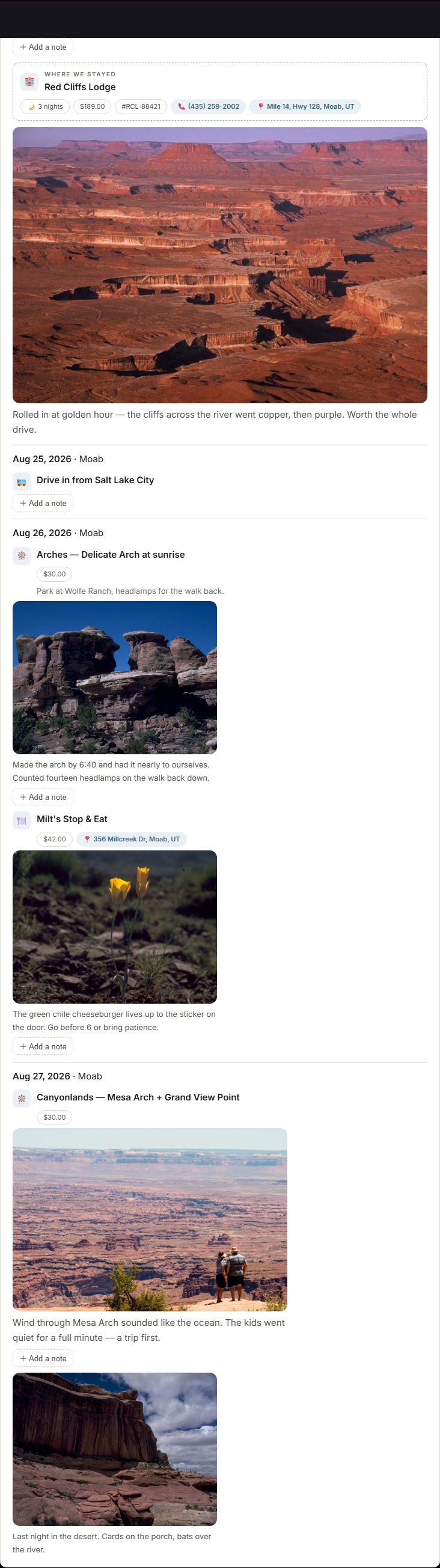
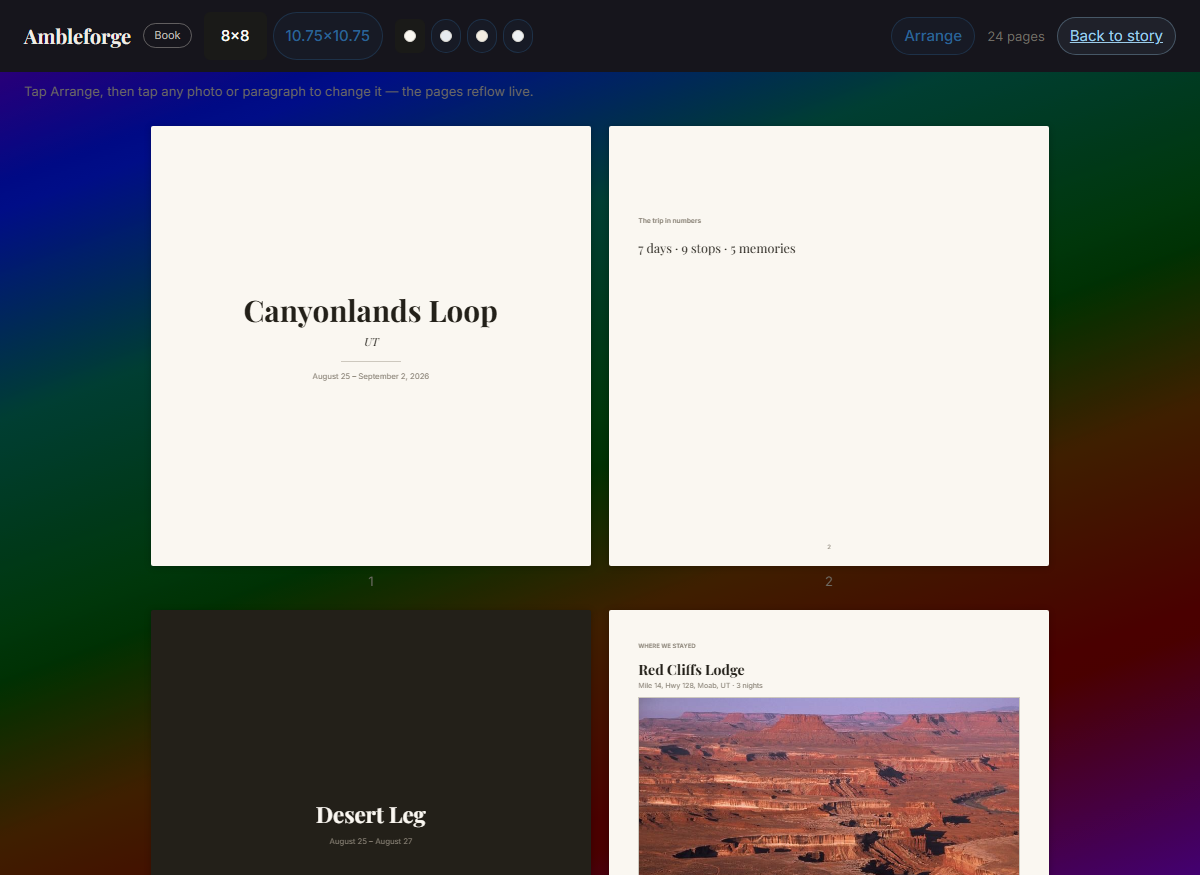
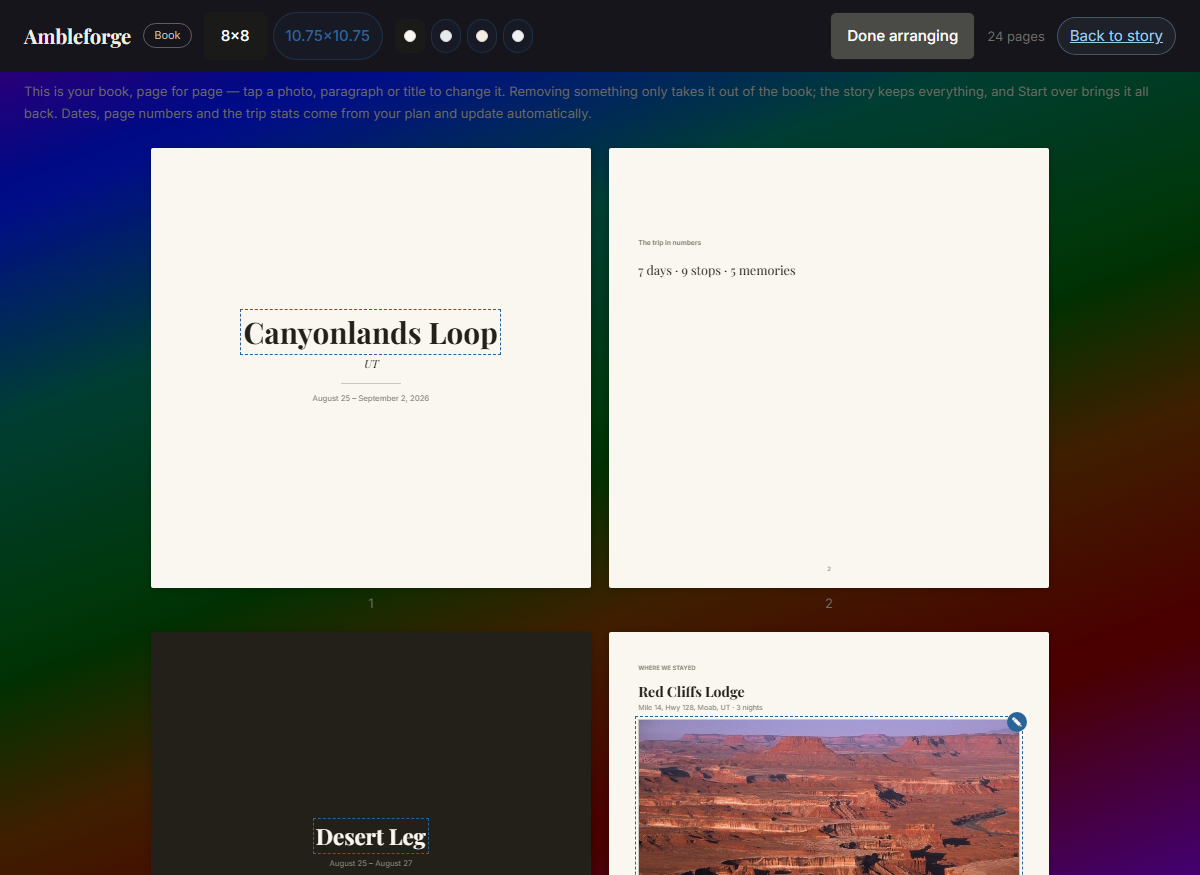
Snap a photo or jot one line on any day — about ten seconds, even with zero signal (it syncs when you're back). Every stop is its own memory spot: tonight's stay, that hike, that dinner each take their own photos and notes, so the room's pictures stay with the room — and day-level moments (morning light, scenery) keep their own place. Memories live inside the trip, stay private from shared links, and store at print quality. And your Story turns the trip into a keepsake you can write: each leg opens with where you stayed and a weather line for those days, then threads what you did, where you ate, and the memories you caught at each — every stretch of text editable, so it reads like the day actually went. Private to your travelers, and the start of the printed keepsake to come.

Better together

One trip, everyone's hands on it — and the money stays friendly.

Plan together

Invite family by email as editors or viewers. Everyone edits the same trip live, from their own phone, with permissions enforced at the database itself.

Before you go

Two lists on one page — to-dos and packing — built for families: assign anything to any person (kids don't need accounts), watch per-person progress, and start from a sensible template. Type a name once and it's a one-tap choice from then on.

Costs that add themselves

Every stay and stop totals up live — per day, per section, whole trip. Cross a border and the currency follows — a Canadian hotel prices itself in CAD. Set how many of you there are and the total divides per person; per-item people counts handle the days the group splits up.

The trip settles itself

On group trips, any cost can carry who paid and how it splits — everyone evenly, just some people, by shares, or exact amounts. The Money page turns it all into where everyone stands and the shortest list of who-pays-who, live, offline, no spreadsheet on the side. And when you record what things actually cost, the budget view shows planned vs. paid — over or under, per leg and for the whole trip — and settling up uses the real numbers.

Share the plan, keep the private stuff

One link shows your itinerary to anyone — no account needed, on any phone. They see the plan; your documents, checklists, costs, and confirmation numbers stay yours. Turn the link off anytime, or mint a fresh one and the old link goes dark for good.

Yours to keep

Print it, export it, reuse it, make it look like you.

Beautiful enough to print

Itineraries that read like a well-made travel binder — PDF and paper included.

Lives in your calendar too

Export the whole trip — or a single day — as a calendar file that drops straight into Google, Apple, or Outlook calendars. Days, timed plans in the right time zone, and hotels spanning check-in to check-out, with confirmation numbers along for the ride.

Plan it again

Duplicate any trip in one tap — the whole structure comes along, ready to reuse. Pick a new start date and every day falls into place. Last summer's loop becomes this summer's plan in about a minute.

Make it yours

Seven color palettes (metallic to pastel to black & white), four card styles (paper, flat, frosted glass, soft), aurora backdrops, dark mode — per device, so each family member sees the trip their way. Bold, but never unreadable.

How it works

Five steps. The first one is just typing a name.

Name your trip.

That's genuinely all it takes to start — dates, travel style, and party size if you want them.

Set where you're staying.

One form per leg: arrival date, hotel, address with type-ahead. Day one builds itself — city, weather, and the drive from your last stop fills in on its own.

Fill the days.

Activities, meals, and stops picked straight from what's nearby — or saved as ideas from the map and dealt onto days later, one tap each.

Bring the family.

Invite everyone by email, plan the same trip together live, and divvy up the packing in Before you go.

Hit the road.

Today mode shows what matters right now — no signal required. Days check themselves off as you travel. Sync happens by itself.

The honest part

Most travel apps make their money in ways they'd rather not explain. Here's exactly where we stand — in writing.

Free means a whole trip

Plan a complete trip free — no stop limits, no trip limits. The free plan handles a real family's year of travel, start to finish. That's a promise, not a trial.

Paid will mean extras, never basics

A paid tier is coming for the nice-to-haves. Nothing you can do today will ever move behind it — planning, offline, sharing, and collaboration stay free.

No billing tricks

When paid arrives: a monthly option always offered, cancel right in the app, no silent upgrades, no annual-only traps. If a subscription needs a dark pattern to survive, it doesn't deserve to.

No ads. No data selling.

You are the customer, not the product. We don't run ads, we don't sell or share your data for advertising, and our maps come from our own server — no tracking pixels riding along.

Deleted means deleted

Delete a trip and it's permanently erased — photos and all — within about 30 days. That window is your safety net to change your mind; after it, it's gone from our servers for good.

Your trips are yours

Print them, export them to your calendar, share them with a link — your data is never held hostage. If you ever leave, you leave with everything.

Put it on your phone

No app store, no download wait — Ambleforge installs straight from the browser and then behaves like any other app: its own icon, full screen, works offline, updates itself.

iPhone & iPad

Open the app link in Safari, tap the Share button (the square with the arrow), scroll down, and choose Add to Home Screen, then Add.

Android

Open the app link in Chrome, tap the ⋮ menu, and choose Add to Home screen (some phones say Install app), then confirm.

Computer

It works right in the browser — nothing to install. In Chrome or Edge you can also click the install icon at the end of the address bar to give it its own window.

Questions, answered straight

Does it really work with no signal?

Yes — and not just reading. Ambleforge is the only trip planner where everything works offline: open your whole trip, edit it, add stops, jot notes, snap memories, check tomorrow's cached weather, even browse your saved maps and find the nearest fuel along your route — all in airplane mode, all on the free plan. Changes sync themselves the moment you're back in coverage. We prove this before every release with an automated airplane-mode test of the entire app.

What does it cost?

The free plan plans a complete real trip — no stop limits, no trip limits, offline included. A paid tier will come later for extras, and the basics will never move behind it. No ads either way, ever.

Does it work on my phone?

iPhone, Android, and any computer — Ambleforge installs straight from the browser (instructions above) and behaves like a native app: its own icon, full screen, works offline, updates itself. App-store listings are planned; you don't have to wait for them.

Do my kids need accounts?

No. Packing lists and to-dos assign to people by name — type "Emma" once and she's a one-tap choice from then on, no account, no email, nothing to set up. Accounts are only for people who'll edit the trip themselves.

Can grandma follow along without installing anything?

Yes — share one link and she sees the itinerary on any phone, no account needed. She sees the plan; your documents, costs, checklists, and confirmation numbers stay private. Turn the link off anytime.

What happens to my data?

It's yours. We don't sell it, we don't run ads on it, and when you delete a trip it's permanently erased — photos included — within about 30 days. The full privacy policy is written in plain language, linked below.

Can I get my trip out of the app?

Always. Print it as a travel-binder-quality itinerary, export the whole trip (or one day) to Google, Apple, or Outlook calendars, or share it with a link. Your trips are never locked in.

Where is Ambleforge today?

In family beta — real trips are being planned and travelled on it right now, and it's tested hard before every release. Join the waitlist and you'll be first in line the day it opens.

Be first in line

Ambleforge opens soon. The free plan will handle a real trip, start to finish — no surprise paywalls, ever.

Join the waitlist ↑ Or open the app (beta) →